

01Portfolio
WirePress — headless WordPress + Next.js
A plugin that leaves WordPress to handle the editing while a fast Next.js front end serves the site. Editors keep the admin panel they know, and changes reach the site within seconds. Pages respond about 35 times faster than on classic WordPress.
By the numbers
- Faster than classic WordPress
- ~35×
- Repeated content query
- 230 → 7 ms
- Plugin and front-end tests
- 133
Problem
When WordPress only handles editing and a separate front end serves the site, the front end has to be told about every change. If WordPress does that while a post is being saved, a slow or unreachable front end holds up the editor’s admin panel: in my measurement a single request took 20.4 s. If the notification carries the content itself, one lost message leaves a stale page online for good. On top of that, editors lose draft previews, and WordPress’s own start-up takes about a third of the response time, so no optimisation inside it can get any lower.
Approach
I separated content from notifications. The front end fetches content from WordPress itself, and the notification only tells it which URLs to refresh. Each one is signed with that front end’s own key, so it cannot be forged. Changes from a single save go into a queue and are sent in the background, with retries after 1, 5 and 15 minutes, so the admin panel responds straight away. Repeated content queries are answered by a cache that responds before WordPress has even started. Pages in Next.js 16 are static and refreshed only where something has changed, and at build time content arrives in batches of 100 pages. In the admin panel, editors see the queue with error details, can test the connection and rotate keys, and preview drafts in the site’s real design.
Outcome
I measured it in the simulator built into the plugin, on 316 posts with images and a single machine. A static page responds in 13 ms (median), classic WordPress in 451 ms. A page rendered on demand went from 1213 to 53 ms, and a repeated content query from 230 to 7 ms. A full build of 343 pages takes 25 s. A change made in the admin reaches the site in 1.4–5 s, and an unreachable front end no longer slows WordPress down (20.4 s → 0.35 s per request). The plugin and front end are covered by 133 automated tests.
How it works
01
Content and notifications travel separately
The front end fetches content from WordPress itself, and the notification only says what has changed. If one gets lost, the page is not stuck with an old version for good, because the content always comes straight from WordPress.
02
A queue that never blocks the editor
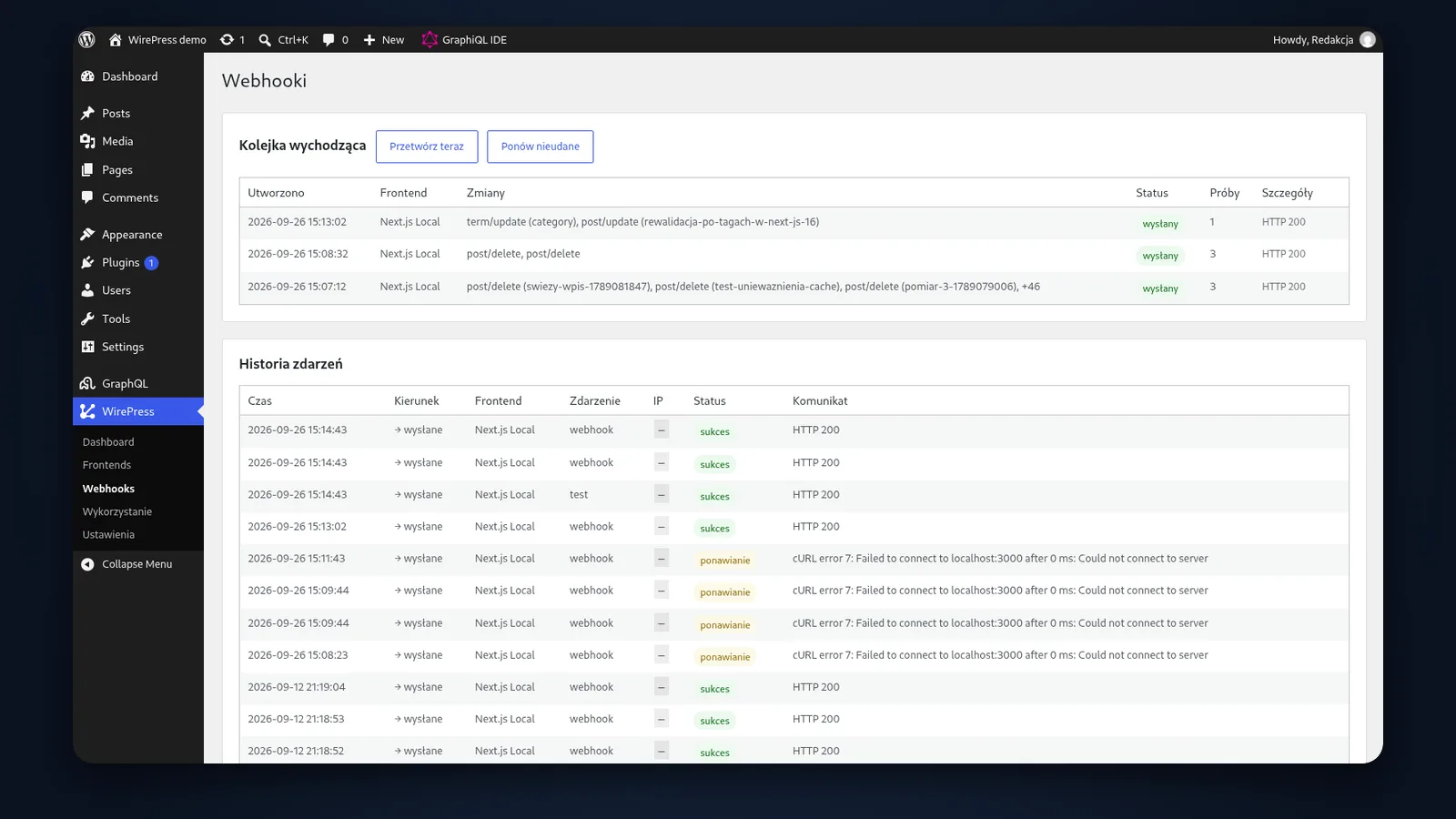
Changes from a single save go into the queue as one batch and are sent in the background. The plugin retries a failed send after 1, 5 and 15 minutes. The admin shows what went wrong, and the ‘Retry’ button sends it again.
03
The plugin knows what to refresh
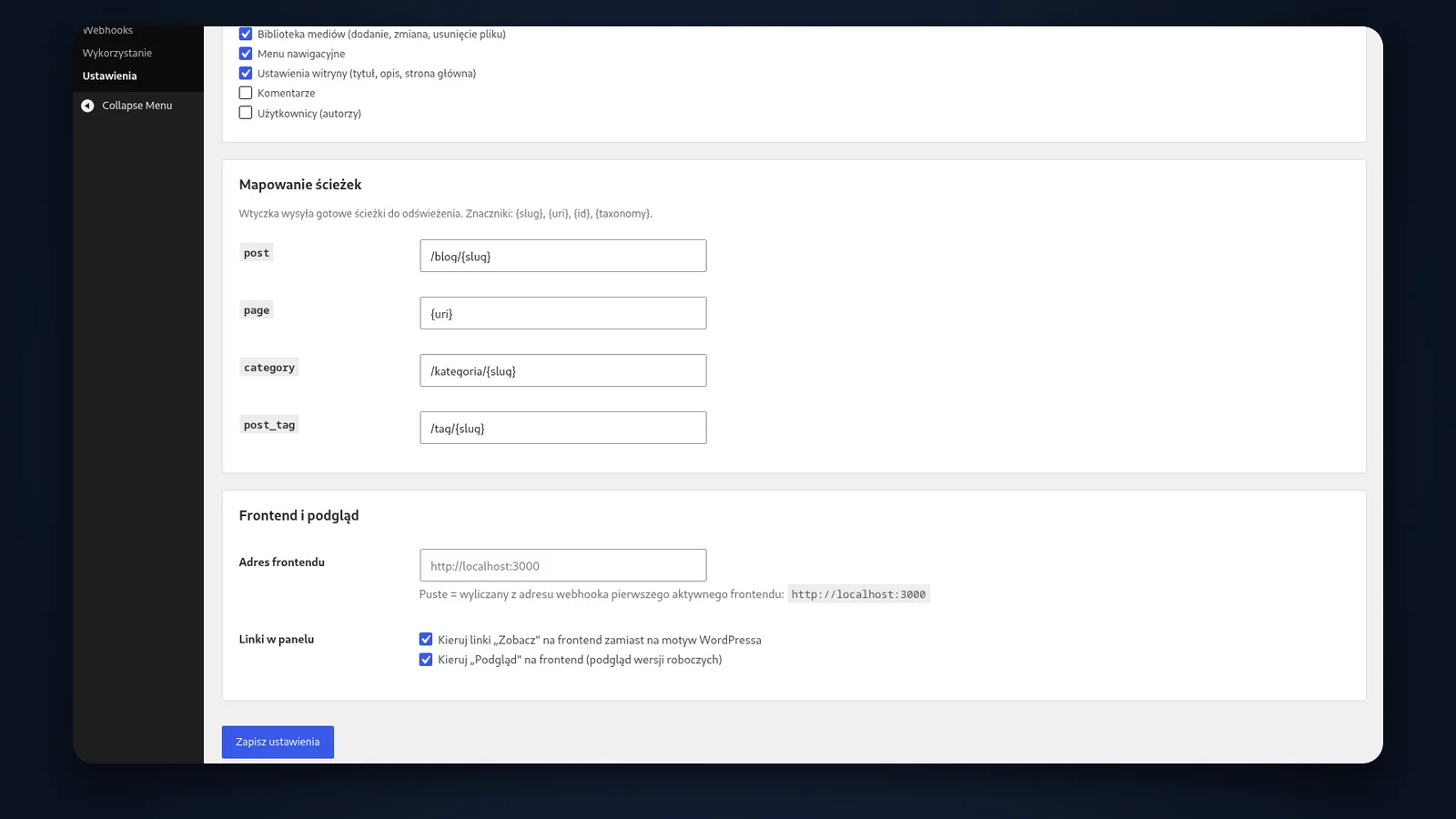
The plugin works out which URLs need refreshing, such as /blog/post-name. The front end has nothing to map: it only checks the notification’s signature and refreshes the pages it names.
04
An answer before WordPress starts
A repeated content query is answered from a stored file before WordPress has time to start. The cache skips logged-in users, data changes and error responses. Response time drops from 230 to 7 ms.
05
Draft previews on the front end
The ‘Preview’ button shows an unpublished post in the site’s real design, with no extra passwords to set up. The preview link expires after an hour and stays out of search engines.